Advanced LinkedIn Automation for B2B Lead Generation and Personalization: The Definitive Guide
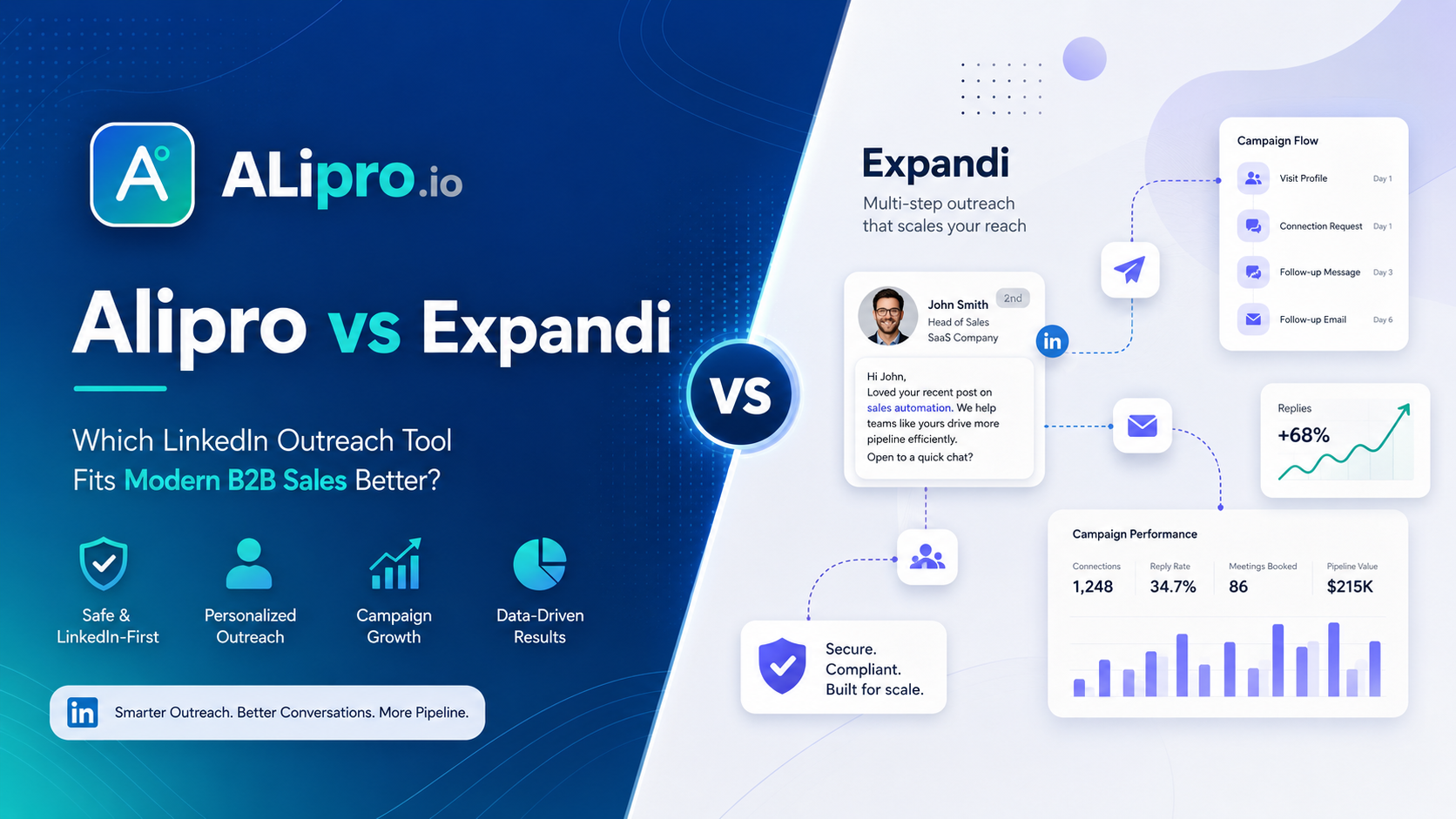
Learn how advanced LinkedIn automation helps B2B teams generate qualified leads with personalized outreach, controlled follow-ups, safer campaign pacing, and better campaign tracking. Compare Alipro with tools like Expandi, Dripify, Waalaxy, Lemlist, and Skylead.
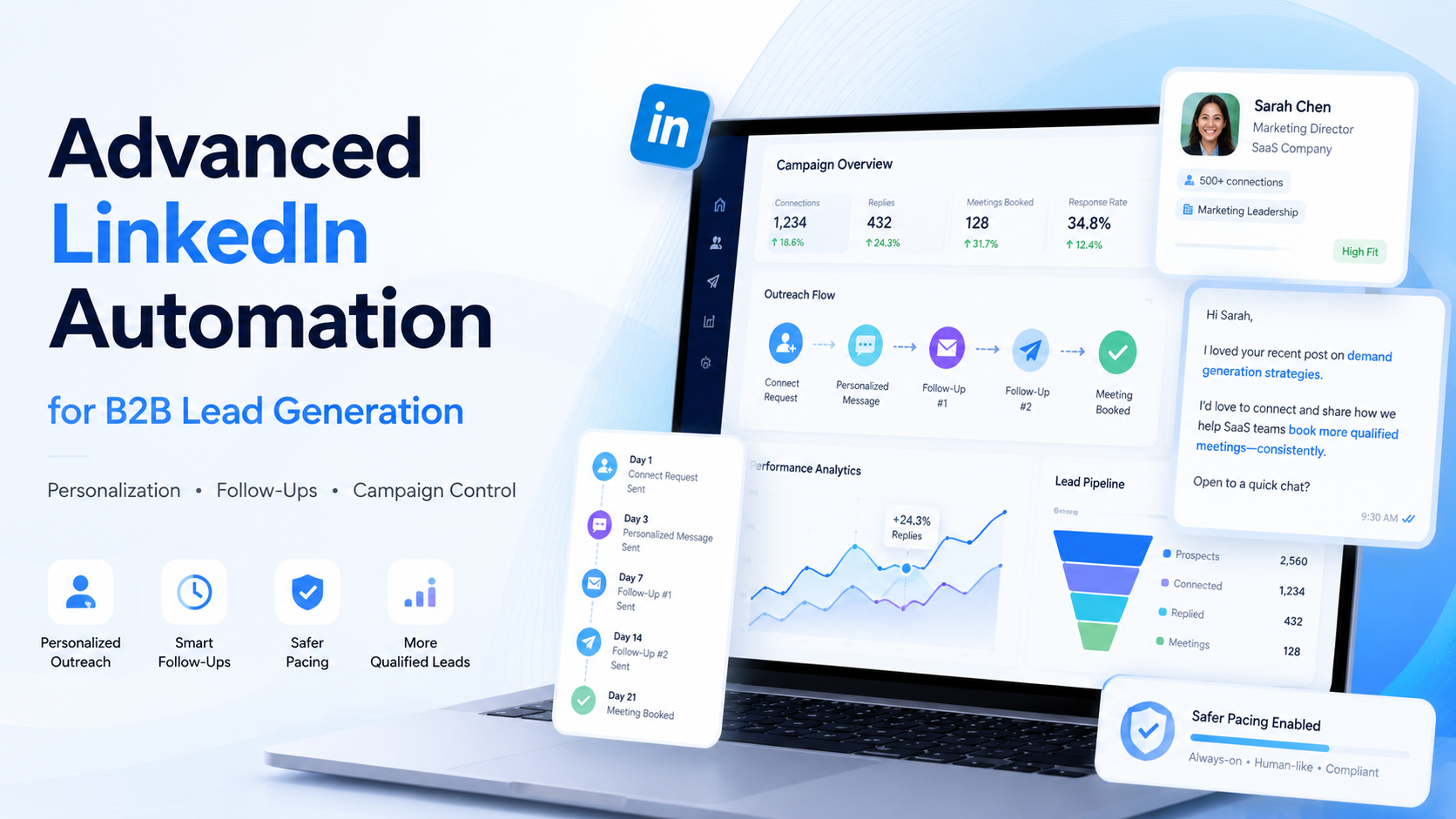
LinkedIn has become one of the most powerful platforms for B2B sales, lead generation, business development, recruiting, consulting, and agency growth.
Your ideal buyers are already there.
Founders, CEOs, sales leaders, marketing managers, HR teams, consultants, SaaS operators, and decision-makers use LinkedIn every day to build relationships, discover solutions, and evaluate vendors.
But manual LinkedIn outreach takes time.
A sales rep may spend hours searching for prospects, opening profiles, sending connection requests, writing follow-ups, tracking replies, and updating spreadsheets. This can work when you are contacting a small number of people, but it becomes difficult when your team needs a consistent lead generation system.
That is where advanced LinkedIn automation becomes useful.
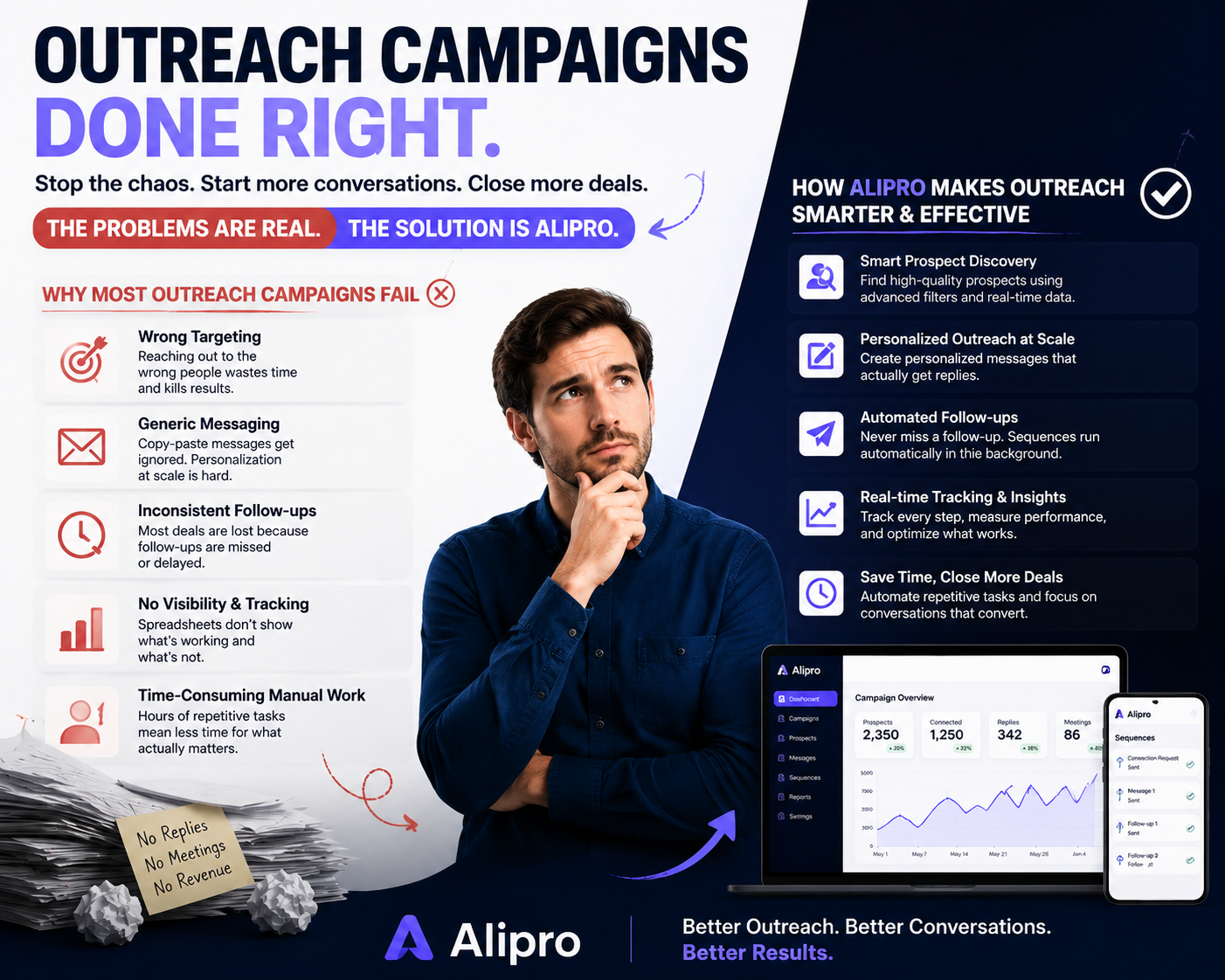
The goal is not to send random mass messages. The goal is to build a controlled, personalized, and repeatable outreach process that helps your team start more relevant B2B conversations.
Alipro is built for teams that want to scale LinkedIn outreach while keeping personalization, safety controls, and campaign quality at the center.
What Is Advanced LinkedIn Automation?
Advanced LinkedIn automation is the use of software to help manage and streamline LinkedIn outreach activities such as:
Finding and organizing target prospects
Visiting profiles
Sending connection requests
Sending personalized messages
Creating multi-step follow-up sequences
Tracking campaign performance
Managing outreach workflows
Applying smart limits and delays
Reducing repetitive manual work
Basic automation only saves time.
Advanced automation improves the full outreach process.
For example, a basic tool may help you send the same connection message to many people. An advanced tool helps you create different outreach paths based on the prospect’s role, company, industry, location, campaign stage, and response behavior.
This difference matters because B2B buyers can easily recognize generic outreach.
A message like this does not feel personal anymore:
“Hi {{first_name}}, I came across your profile and thought we should connect.”
Modern outreach needs context.
A strong LinkedIn outreach campaign should answer three questions:
Why are you contacting this person?
Why is your message relevant to their role or company?
What simple next step are you asking for?
Alipro helps B2B teams build outreach campaigns around relevance instead of volume.
Why Personalization Is No Longer Optional in B2B Outreach
B2B buyers receive cold messages every day.
Most of them sound the same:
“Hi, I help businesses grow revenue.”
“Hi, I saw your profile and wanted to connect.”
“Hi, are you looking for more leads?”
These messages are easy to ignore because they do not show research, timing, or relevance.
Advanced personalization makes outreach feel more specific.
Instead of sending one message to everyone, your team can create messaging that changes based on the person you are contacting.
A founder may care about pipeline and cost efficiency.
A sales leader may care about team productivity and booked meetings.
A marketing manager may care about lead quality and campaign attribution.
A recruiter may care about candidate response rates.
A consultant may care about discovery calls and relationship-building.
When your message reflects the prospect’s likely problem, the outreach feels more human.
That is why LinkedIn automation software with advanced personalization features is becoming important for modern B2B teams.
The best outreach tools today do not only automate actions. They help teams send better messages to better prospects at a better pace.
What Advanced Personalization Really Means
Advanced personalization is more than adding a first name.
It means creating outreach that feels connected to the prospect’s business, role, and likely pain point.
Here are the key elements of advanced personalization.
1. Dynamic Fields
Dynamic fields are variables that automatically change based on the prospect.
Common examples include:
First name
Company name
Job title
Industry
Location
LinkedIn profile URL
Campaign source
Lead segment
Dynamic fields are useful, but they are only the starting point.
A message like this is still weak:
“Hi Sarah, I saw you work at Acme.”
A better message connects the detail to a real reason:
“Hi Sarah, noticed you lead growth at a B2B SaaS company. We help teams run more personalized LinkedIn outreach without spending hours on manual follow-ups. Happy to connect.”
The second message is stronger because it uses context.
2. Custom Variables
Custom variables let your team add campaign-specific details.
Examples include:
Pain point
Use case
Target audience
Industry angle
Current growth channel
Hiring signal
Offer type
Lead source
Competitor mention
Business category
For example, a SaaS company may use a custom variable like “target_buyer_segment.”
A lead generation agency may use “current_growth_channel.”
A recruiter may use “role_category.”
Custom variables help you create campaigns that feel more specific without writing every message manually.
3. Audience Segmentation
Not every lead should receive the same message.
A CEO, sales manager, agency owner, recruiter, and marketing consultant may all be good prospects, but each one needs a different angle.
Audience segmentation allows you to group leads by:
Role
Industry
Company size
Country
Use case
Pain point
Buying stage
Campaign goal
This helps your outreach sound more relevant.
For example, if you are targeting SaaS founders, your message may focus on pipeline growth.
If you are targeting agencies, your message may focus on managing outreach for clients.
If you are targeting recruiters, your message may focus on candidate engagement.
Alipro helps teams organize outreach around specific lead segments so campaigns do not feel generic.
4. Conditional Follow-Ups
Conditional follow-ups make your sequence smarter.
For example:
If the prospect accepts your connection request, send message A.
If the prospect does not respond after three days, send follow-up B.
If the prospect replies, stop the sequence.
If the lead belongs to a specific segment, use a different message angle.
If the campaign is for founders, use a founder-focused follow-up.
If the campaign is for sales leaders, use a sales productivity angle.
This is where advanced LinkedIn automation becomes more powerful than simple bulk messaging.
Instead of pushing everyone through the same sequence, you can create smarter outreach paths.
5. Multi-Step Sequence Personalization
Most prospects do not reply to the first message.
That is normal.
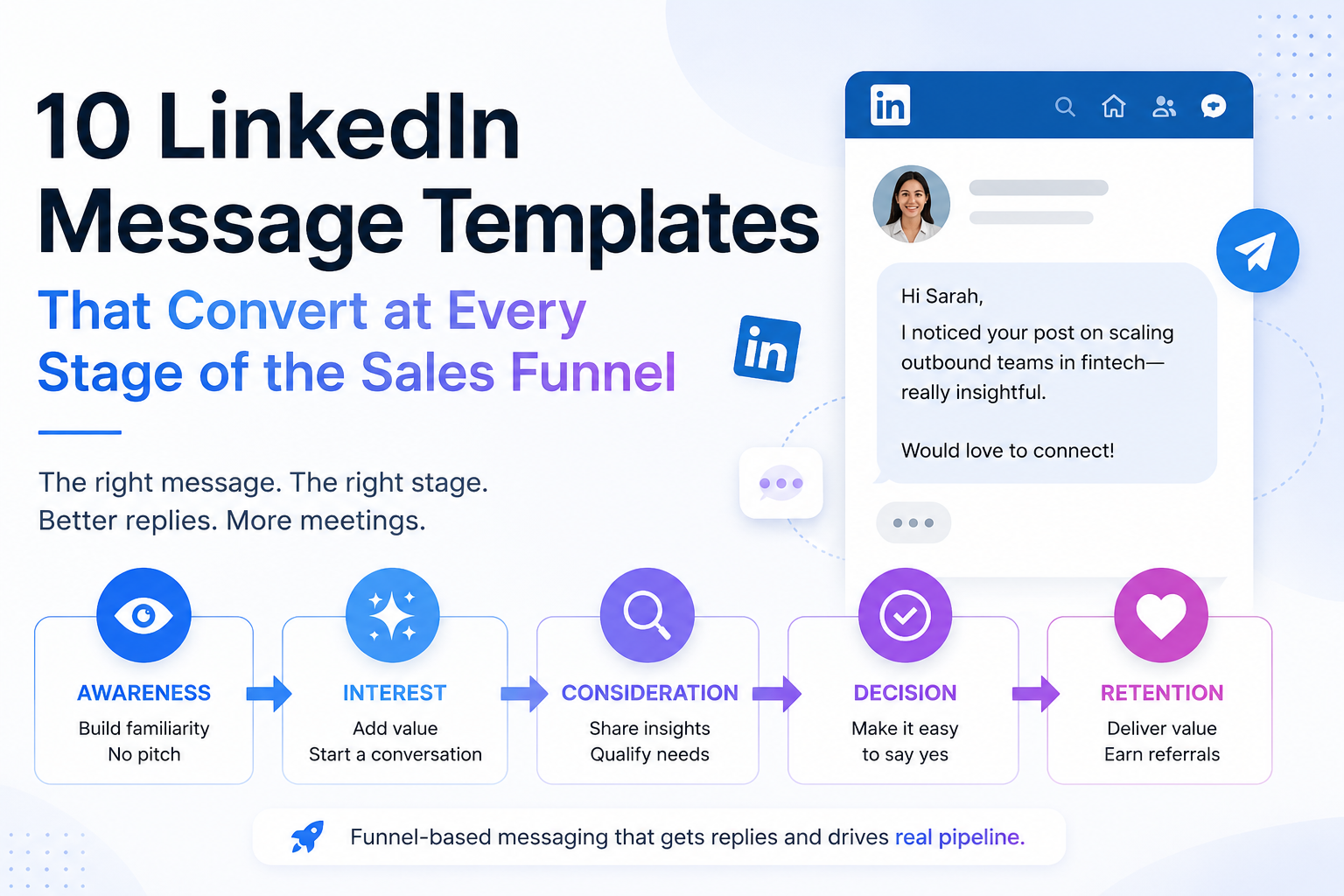
A strong LinkedIn outreach campaign usually needs multiple touches.
A simple sequence may look like this:
Visit profile
Send connection request
Wait before follow-up
Send thank-you message
Send value-based follow-up
Ask a soft question
Stop if the person replies
The mistake many teams make is that they personalize only the first message. After that, every follow-up becomes generic.
Advanced LinkedIn automation helps personalize the full sequence, not just the opening line.
Every follow-up should feel connected to the previous message and relevant to the prospect’s business.
6. Personalization Without Sounding Creepy
Good personalization feels helpful.
Bad personalization feels uncomfortable.
You do not need to mention every detail from someone’s profile. That can feel unnatural.
A better approach is to use one or two relevant details and connect them to a business reason.
Weak message:
“Hi John, I saw you studied at X university, live in Y city, worked at Z company, and posted about AI last week.”
Better message:
“Hi John, noticed your team works with B2B companies. We built Alipro for teams that want to scale LinkedIn outreach without sending generic connection requests. Happy to connect.”
The second message is simpler, cleaner, and more professional.
Strategies to Avoid LinkedIn Account Restrictions When Automating Messages
Account safety is one of the biggest concerns in LinkedIn automation.
This concern is valid.
LinkedIn does not support spammy outreach, aggressive automation, scraping, or suspicious activity patterns. Any team using automation must be careful and responsible.
No tool can honestly guarantee that a LinkedIn account will never face restrictions.
However, teams can reduce risky behavior by using conservative limits, smart pacing, better targeting, and human-like outreach patterns.
Here are the most important best practices.
1. Start Slowly
Do not connect a LinkedIn account and immediately send a high number of connection requests.
A safer approach is to start with low activity and gradually increase volume.
New accounts, inactive accounts, or recently restricted accounts should be handled carefully.
Outreach should feel natural.
2. Use Human-Like Delays
Real people do not send dozens of messages in a few seconds.
Your campaign should include natural delays between actions such as:
Profile visits
Connection requests
Follow-up messages
Lead reviews
Message sending
Human-like timing helps avoid unnatural activity patterns.
Alipro supports controlled campaign pacing so outreach does not look like instant bulk activity.
3. Keep Daily Limits Conservative
More volume does not always mean better results.
In many cases, a smaller number of highly relevant messages performs better than a large number of generic messages.
Conservative daily limits help protect campaign quality and reduce unnecessary risk.
Instead of asking, “How many messages can we send today?” ask:
“How many relevant conversations can we start today?”
4. Avoid Repetitive Templates
Sending the same message again and again can make outreach look automated.
Use:
Message variations
Custom variables
Audience-specific copy
Different follow-up angles
Natural wording
Even small improvements in message quality can improve acceptance and reply rates.
5. Stop Automation When Someone Replies
When a prospect replies, the automated sequence should stop.
Continuing to send scheduled follow-ups after someone has already responded creates a poor user experience.
It also makes the outreach look careless.
Alipro helps teams manage follow-up workflows so replies can be handled more naturally.
6. Avoid Salesy Language Too Early
Do not pitch too aggressively in the first message.
Avoid lines like:
“Book a call now”
“We can 10x your revenue”
“I guarantee leads”
“Are you ready to buy?”
“Let’s schedule 30 minutes”
A better approach is to start a conversation.
For example:
“Curious — is LinkedIn currently part of your outbound process?”
This feels more natural than pushing for a meeting immediately.
7. Withdraw Old Pending Invitations
Too many old pending invitations can make your account look poorly managed.
Reviewing and withdrawing old pending requests can help keep your outreach cleaner.
This should be done carefully and gradually.
8. Do Not Run Multiple Automation Tools on the Same Account
Using multiple automation tools on the same LinkedIn account can create unnatural activity spikes.
For example, one tool may be sending connection requests while another is visiting profiles or sending messages.
This can make activity look inconsistent.
Use one controlled workflow instead of running multiple overlapping tools.
9. Improve Targeting Before Increasing Volume
Bad targeting creates bad outreach.
If your audience is too broad, even a well-written message will feel irrelevant.
Start with a narrow ICP.
For example:
Bad targeting:
“Business owners”
Better targeting:
“B2B SaaS founders in the United States with 2–50 employees who need more outbound pipeline.”
Better targeting creates better personalization.
10. Monitor Campaign Performance
If your campaign performance drops, pause and review.
Track:
Connection acceptance rate
Reply rate
Positive reply rate
Unsubscribe or negative responses
Campaign completion rate
Message performance
Low engagement may mean your targeting is weak, your message is too generic, or your campaign volume is too aggressive.
How Alipro Supports Safer LinkedIn Outreach
Alipro is designed for controlled LinkedIn outreach, not reckless mass automation.
It helps teams manage outreach with:
Smart activity limits
Human-like delays
Campaign pacing
Warm-up friendly workflows
Stop-on-reply logic
Lead organization
Sequence control
Account-level visibility
Safer scheduling windows
Clear campaign tracking
Alipro does not position automation as a shortcut for spam.
It helps teams build a more thoughtful outreach system where messaging, timing, targeting, and safety controls work together.
That is the difference between basic automation and advanced LinkedIn automation.
Best LinkedIn Outreach Tools for B2B Lead Generation
The LinkedIn outreach software market includes many popular platforms.
Some focus mainly on LinkedIn.
Some combine LinkedIn and email.
Some are built for agencies.
Some are built for multichannel sales engagement.
Popular tools include:
Alipro
Expandi
Dripify
Waalaxy
Lemlist
Skylead
MeetAlfred
HeyReach
SalesRobot
Closely
Each tool has strengths.
The best choice depends on your campaign goals, team size, budget, outreach channel, and safety requirements.
Before choosing any LinkedIn outreach tool, compare it using these factors.
What to Look for in a LinkedIn Automation Tool
1. Personalization Features
A good tool should support more than first-name personalization.
Look for:
Dynamic fields
Custom variables
Audience segmentation
Message variations
Personalized follow-ups
Campaign-specific fields
Personalization is one of the biggest factors in outreach quality.
2. Safety Controls
A LinkedIn automation tool should help users avoid risky outreach behavior.
Look for:
Daily limits
Randomized delays
Warm-up friendly settings
Stop-on-reply rules
Campaign pacing
Account-level controls
Safer scheduling windows
No tool can remove all risk, but strong safety controls can help users avoid careless automation patterns.
3. Campaign Builder
A good campaign builder should make it easy to create sequences such as:
Visit profile
Send connection request
Wait two days
Send message
Wait three days
Send follow-up
Stop if reply received
The campaign builder should be simple enough for beginners but flexible enough for serious outbound teams.
4. Lead Management
Your tool should help you manage leads from discovery to reply.
Useful features include:
Lead import
Lead status
Campaign assignment
Reply tracking
Notes
Filters
Export options
Follow-up visibility
Without lead management, outreach becomes difficult to track.
5. Analytics and Reporting
You need to know what is working.
Track:
Connection requests sent
Connections accepted
Messages sent
Replies received
Positive replies
Leads contacted
Best-performing messages
Campaign performance over time
Analytics help you improve campaigns instead of guessing.
6. Team Management
If more than one person is running outreach, team management becomes important.
Look for:
Workspace management
Multiple account support
Team visibility
Role-based controls
Campaign ownership
Centralized reporting
This is especially useful for agencies and B2B sales teams.
7. Ease of Use
Powerful software is only useful if your team can use it consistently.
A good LinkedIn automation platform should make it easy to:
Create campaigns
Add leads
Personalize messages
Set safe limits
Track replies
Improve performance
Alipro is built to keep LinkedIn outreach practical, controlled, and easy to manage.
Expandi vs Dripify for LinkedIn Outreach Campaigns
Expandi and Dripify are two well-known LinkedIn outreach platforms.
Both help users automate LinkedIn prospecting, but they are often used for slightly different needs.
Expandi Overview
Expandi is commonly known as a cloud-based LinkedIn automation platform.
It is often used by agencies, sales teams, and outbound teams that want campaign automation, safety settings, and LinkedIn plus email outreach workflows.
Expandi can be a strong option for users who want:
Cloud-based LinkedIn outreach
Campaign management
Team workflows
Omnichannel outreach
Dedicated outreach infrastructure
CRM-related workflows
Expandi may be suitable for more advanced outbound teams, but some smaller teams may find it more complex than they need.
Dripify Overview
Dripify is another popular LinkedIn automation tool focused on LinkedIn outreach, follow-ups, lead management, email enrichment, and campaign analytics.
Dripify can be a good option for users who want:
LinkedIn-first prospecting
Automated connection requests
Follow-up sequences
Email enrichment
Campaign analytics
A structured outreach funnel
It is often used by sales teams, founders, recruiters, and marketers.
Expandi vs Dripify: Key Difference
Expandi is often stronger for teams that want broader outbound infrastructure and omnichannel workflows.
Dripify is often attractive for users who want a clean LinkedIn-focused outreach system with email enrichment and analytics.
Both tools can be useful depending on the user’s outreach strategy.
Where Alipro Fits
Alipro is a strong option for B2B teams that want a focused LinkedIn outreach platform with:
Personalized campaigns
Smart follow-ups
Safer campaign pacing
Account-level controls
Lead organization
Simple campaign management
Practical reporting
For teams comparing Expandi vs Dripify, Alipro offers a focused alternative for users who want LinkedIn outreach to be simple, controlled, and personalized.
Waalaxy vs Lemlist for Sales Outreach
Waalaxy and Lemlist are both popular in the outbound sales space, but they serve different types of users.
Waalaxy Overview
Waalaxy is commonly used for LinkedIn and email outreach.
It is known for helping users launch campaigns quickly and manage simple prospecting workflows.
Waalaxy may be a good fit for:
Beginners
Small teams
LinkedIn and email outreach
Simple campaign setup
Prospecting workflows
It is often attractive to users who want fast setup without heavy technical work.
Lemlist Overview
Lemlist is broader than a LinkedIn-only automation tool.
It is commonly positioned as a sales engagement platform that supports email, LinkedIn, calls, and multichannel outbound workflows.
Lemlist may be a good fit for:
Cold email teams
Sales development teams
Multichannel outreach
Deliverability-focused campaigns
Larger outbound workflows
Lemlist is especially useful when email outreach is a major part of the sales process.
Waalaxy vs Lemlist: Key Difference
Waalaxy is often easier for LinkedIn and email prospecting.
Lemlist is usually more suitable for teams that want broader sales engagement across multiple channels.
The right choice depends on whether your team wants a simple LinkedIn/email tool or a larger multichannel outbound platform.
Where Alipro Fits
Alipro is built for teams that want LinkedIn outreach to be the main channel.
Instead of becoming a complex all-in-one sales engagement platform, Alipro focuses on helping users manage LinkedIn lead generation with:
Personalized connection requests
Controlled follow-up sequences
Lead tracking
Safer pacing
Campaign visibility
Simple workflow management
For users comparing Waalaxy and Lemlist, Alipro is a strong option when the main priority is LinkedIn outreach quality.
Top Competitors to Skylead for LinkedIn Outreach
Skylead is a known LinkedIn automation and cold email outreach platform.
It is often used by sales teams and agencies that want smart sequences, LinkedIn automation, email outreach, and campaign workflows.
If someone is searching for top competitors to Skylead, they are usually comparing tools based on:
LinkedIn automation quality
Email outreach features
Personalization
Campaign logic
Safety controls
Pricing
Ease of use
Reporting
Team workflows
Common Skylead alternatives include:
Alipro
Expandi
Dripify
Waalaxy
Lemlist
MeetAlfred
HeyReach
SalesRobot
Closely
Why Alipro Is a Strong Skylead Alternative
Alipro is a strong alternative for teams that want LinkedIn-focused outreach with better control over personalization and pacing.
Alipro stands out in three areas.
1. Personalized LinkedIn Outreach for B2B Teams
Alipro helps teams create more relevant outreach instead of sending generic templates.
Users can build campaigns around specific audiences, use custom variables, and create follow-ups that match the prospect’s role or use case.
2. Safety-First Campaign Controls
Alipro helps users reduce risky outreach behavior with controlled limits, timing, and campaign pacing.
This is important for teams that want automation without careless volume-based sending.
3. Simple Lead Generation Workflow
Alipro keeps the LinkedIn outreach process clear:
Add or collect leads
Create a campaign
Personalize your message
Set safe limits
Launch outreach
Track replies
Improve performance
This makes it useful for B2B teams that want results without overcomplicating the workflow.
Other Notable LinkedIn Outreach Tools
MeetAlfred
MeetAlfred is another LinkedIn automation platform used for connection requests, messaging, follow-ups, and campaign management.
It may be useful for users who want a broader outreach tool with LinkedIn and other channels.
Alipro competes by focusing on controlled LinkedIn campaign quality, safer outreach patterns, and B2B personalization.
HeyReach
HeyReach is often used by agencies and teams managing multiple LinkedIn accounts.
It is known for team-based outreach, multi-account workflows, and integrations with sales tools.
HeyReach may be a good fit for high-volume outbound teams or agencies.
Alipro is a better fit for teams that want a simpler LinkedIn-focused workflow with safety and personalization at the center.
SalesRobot
SalesRobot is commonly positioned around LinkedIn and email outreach automation.
It may be useful for teams that want AI-assisted personalization and outreach workflows across channels.
Alipro competes by offering a focused LinkedIn lead generation experience with controlled campaign execution.
Closely
Closely is another outreach automation platform often compared with LinkedIn prospecting tools.
It may be considered by users who want campaign automation, lead data, and sales outreach workflows.
Alipro’s advantage is its focus on practical LinkedIn outreach, safer pacing, and personalized B2B lead generation.
LinkedIn Outreach Tools Comparison Table
| Tool | Best For | Main Strengths | Possible Limitation | Where Alipro Fits |
|---|---|---|---|---|
| Alipro | B2B LinkedIn lead generation | Personalized campaigns, controlled outreach, safety-focused pacing, simple workflow | Newer brand compared with older platforms | Best for teams that want focused LinkedIn outreach without unnecessary complexity |
| Expandi | Agencies and advanced sales teams | Cloud-based outreach, team workflows, omnichannel features | May feel complex for smaller teams | Alipro offers a simpler LinkedIn-first alternative |
| Dripify | LinkedIn prospecting teams | LinkedIn automation, follow-ups, email enrichment, analytics | May not fit every advanced team workflow | Alipro focuses on safer and more personalized LinkedIn campaigns |
| Waalaxy | Simple LinkedIn and email outreach | Easy setup, beginner-friendly campaigns | May be less specialized for advanced B2B campaign control | Alipro gives more focus to campaign quality and personalization |
| Lemlist | Multichannel sales engagement | Email, LinkedIn, calls, and broader outbound workflows | May be more than some LinkedIn-focused teams need | Alipro is better for teams focused mainly on LinkedIn |
| Skylead | LinkedIn and cold email workflows | Smart sequences, LinkedIn and email outreach | May not be ideal for users wanting a simpler platform | Alipro offers a focused, controlled alternative |
| MeetAlfred | General outreach automation | LinkedIn messaging and campaign workflows | May not be as focused on safety-first LinkedIn execution | Alipro keeps LinkedIn outreach practical and controlled |
| HeyReach | Agencies and multi-account teams | Multi-account workflows and integrations | More agency-oriented | Alipro is easier for regular B2B teams |
| SalesRobot | LinkedIn and email automation | Outreach automation and personalization features | May not fit teams wanting a simpler workflow | Alipro focuses on clear LinkedIn lead generation |
| Closely | Sales outreach workflows | Automation and lead generation features | Depends on campaign needs | Alipro is positioned for safer LinkedIn-focused outreach |
Maximizing B2B Lead Generation with Alipro
LinkedIn automation works best when your campaign is built around three things:
The right audience
The right message
The right follow-up process
Alipro helps B2B teams improve each part of that workflow.
Alipro’s Personalization Workflow
Alipro helps users move beyond generic outreach by combining lead targeting, message personalization, and structured follow-up sequences.
Teams can create campaigns based on:
Prospect role
Company type
Industry
Location
Campaign source
Lead segment
Pain point
Offer angle
Follow-up stage
For example, a SaaS founder and a marketing agency owner should not receive the same message.
A SaaS founder may respond better to:
“Noticed you are building in B2B SaaS. We built Alipro for founders who want to start more LinkedIn conversations without spending hours on manual outreach.”
A marketing agency owner may respond better to:
“Noticed your agency works with B2B clients. Alipro helps teams manage personalized LinkedIn outreach campaigns with controlled limits and follow-ups.”
The product is the same.
The message angle is different.
That is the power of personalization.
Smart Campaign Sequences
A good LinkedIn campaign should not depend on one message.
Alipro helps teams create structured outreach sequences such as:
Identify the target audience
Add or collect leads
Visit or review profiles
Send a connection request
Wait before following up
Send a personalized message
Pause when a reply is received
Track performance
Improve the campaign
This helps teams create a predictable outreach process without making the campaign feel robotic.
Built-In Safety Controls
Account safety should be part of the campaign setup.
Alipro supports safer outreach behavior through:
Conservative activity limits
Human-like timing
Campaign pacing
Action spacing
Stop-on-reply logic
Scheduling controls
Manual review options
Account-level visibility
The goal is not to promise zero risk.
The goal is to help users avoid careless automation patterns and build more responsible outreach campaigns.
Analytics and Campaign Tracking
LinkedIn outreach should be measured.
Without analytics, teams do not know what is working.
Alipro helps users track campaign activity and performance so they can improve over time.
Important metrics include:
Leads added
Connection requests sent
Connections accepted
Messages sent
Replies received
Positive replies
Campaign completion
Best-performing message variants
For example, if one audience segment has a much higher reply rate than another, your team can focus more effort on that segment.
If one message gets more replies, you can use it as a winning template.
Good automation does not replace strategy.
It gives your team better data to improve strategy.
Lead Export and Workflow Management
B2B outreach does not end when someone replies.
A strong workflow should help users move interested leads into the next stage.
This may include:
Manual follow-up
Sales pipeline update
Meeting booking
CRM entry
Email follow-up
Internal handoff
Lead export
Alipro helps teams keep outreach organized so interested prospects do not get lost.
How to Build a High-Converting LinkedIn Outreach Campaign
Here is a practical framework for building LinkedIn outreach campaigns with Alipro.
Step 1: Define Your Ideal Customer Profile
Start with a narrow target audience.
Bad ICP:
“Business owners”
Better ICP:
“B2B SaaS founders in the United States with 2–50 employees who need more outbound pipeline.”
The clearer your ICP, the easier it is to write relevant messages.
Step 2: Segment Your Leads
Do not put every lead into one campaign.
Segment by:
Industry
Role
Company size
Country
Use case
Pain point
Buying stage
Segmentation improves personalization and campaign performance.
Step 3: Write a Soft Connection Request
Avoid pitching too early.
Example:
“Hi {{first_name}}, noticed you work in B2B growth. I share practical ideas around LinkedIn outreach and lead generation. Happy to connect.”
This message is simple, relevant, and not too aggressive.
Step 4: Send a Value-Based First Message
After the connection is accepted, do not immediately push for a call.
Example:
“Thanks for connecting, {{first_name}}. A lot of B2B teams are trying to scale LinkedIn outreach without making it feel automated. We built Alipro to help with personalized sequences, controlled limits, and follow-ups. Curious — is LinkedIn currently part of your outbound process?”
This starts a conversation instead of forcing a pitch.
Step 5: Follow Up With Context
A weak follow-up says:
“Any update?”
A better follow-up says:
“Just following up, {{first_name}}. The main issue we usually see is that teams either do everything manually or use automation that feels too generic. Alipro helps teams keep outreach personalized while saving time. Worth sharing a quick example?”
This is more useful and more natural.
Step 6: Stop When the Prospect Replies
Once the prospect replies, move to a manual conversation.
Automation should support the sales process, not replace human selling.
Step 7: Review Campaign Data Weekly
Every week, check:
Which audience replied most?
Which message performed best?
Which campaign had the highest acceptance rate?
Where did prospects drop off?
Are limits too high or too low?
Are replies positive or negative?
Then improve the next campaign.
Common LinkedIn Automation Mistakes to Avoid
Mistake 1: Sending Generic Messages
If your message could be sent to anyone, it is not personalized enough.
Generic outreach damages trust.
Mistake 2: Targeting Too Broadly
A weak lead list makes even good copy fail.
Start with a specific audience.
Mistake 3: Pitching Too Early
Do not ask for a meeting before creating relevance.
Start with a conversation.
Mistake 4: Using Too Much Automation
Automation should handle repetitive steps.
Real conversations should become manual.
Mistake 5: Ignoring Safety Limits
Aggressive outreach can create unnecessary risk.
Use controlled pacing and conservative limits.
Mistake 6: Not Tracking Results
If you do not track performance, you cannot improve campaigns.
Measure acceptance rates, replies, and message performance.
Mistake 7: Running Multiple Tools at Once
Using more than one automation platform on the same LinkedIn account can create unnatural activity patterns.
Keep outreach controlled from one system.
Who Should Use Alipro?
Alipro is a good fit for:
B2B founders
Sales teams
Marketing agencies
Lead generation specialists
Business development representatives
Consultants
Recruiters
SaaS companies
Small and mid-size sales teams
Teams that want safer LinkedIn outreach
Alipro is especially useful for teams that want to:
Generate more B2B leads
Save time on manual LinkedIn outreach
Send personalized connection requests
Create follow-up sequences
Reduce generic messaging
Track campaign performance
Keep account safety in mind
Manage LinkedIn outreach from one place
Why Alipro Is Different
Many LinkedIn automation tools focus mainly on volume.
Alipro focuses on controlled, personalized, and safer B2B outreach.
That difference matters because modern buyers do not respond to spam.
They respond to relevance.
Alipro helps teams build outreach campaigns that are:
Targeted
Personalized
Measured
Controlled
Scalable
Easy to manage
Instead of asking:
“How many people can we message today?”
Alipro helps teams ask a better question:
“How many relevant conversations can we start with the right prospects?”
That is the future of LinkedIn automation.
Frequently Asked Questions
What is LinkedIn automation?
LinkedIn automation is the use of software to help manage repetitive LinkedIn outreach tasks such as profile visits, connection requests, messages, follow-ups, and campaign tracking.
Is LinkedIn automation safe?
LinkedIn automation carries risk if used carelessly. Users should avoid spam, scraping, aggressive activity, unrealistic sending patterns, and poor targeting.
A safer approach includes conservative limits, human-like delays, strong targeting, personalized messaging, and responsible campaign design.
No tool can guarantee that an account will never face restrictions, but safety-focused workflows can help reduce risky behavior.
What is the best LinkedIn outreach tool for B2B lead generation?
The best LinkedIn outreach tool depends on your goals.
Expandi, Dripify, Waalaxy, Lemlist, Skylead, HeyReach, SalesRobot, MeetAlfred, Closely, and Alipro all serve different needs.
Alipro is a strong choice for B2B teams that want personalized LinkedIn outreach with controlled pacing, follow-up sequences, and campaign tracking.
How does Alipro help with personalization?
Alipro helps users create more relevant outreach using lead segmentation, dynamic fields, custom variables, personalized message sequences, and structured follow-ups.
This helps teams avoid generic messaging and create more meaningful B2B conversations.
How can I avoid LinkedIn account restrictions?
Use conservative daily limits, warm up accounts gradually, avoid repetitive templates, use human-like delays, stop automation after replies, withdraw old pending invitations carefully, avoid spammy language, and do not run multiple automation tools on the same account.
Is Alipro an alternative to Skylead?
Yes. Alipro is a strong Skylead alternative for teams that want LinkedIn-focused B2B lead generation, safer campaign pacing, personalized outreach, and simple campaign management.
Is Alipro better than Expandi or Dripify?
It depends on your use case.
Expandi is often used by teams that want broader outbound workflows and cloud-based infrastructure. Dripify is popular for LinkedIn outreach, follow-ups, and email enrichment.
Alipro is a strong option for teams that want a focused LinkedIn outreach platform with personalization, campaign control, and safety-focused pacing.
Is Alipro better than Waalaxy or Lemlist?
Waalaxy is often used for simple LinkedIn and email outreach. Lemlist is broader and commonly used for multichannel sales engagement.
Alipro is a better fit when LinkedIn outreach is the main channel and your team wants a focused, controlled, and personalized lead generation workflow.
Conclusion: Elevate Your B2B Lead Generation with Alipro
LinkedIn outreach still works.
But the old way of doing it does not.
Generic connection requests, copy-paste follow-ups, and high-volume automation are no longer enough.
B2B buyers expect relevance.
Sales teams need control.
Founders need efficiency.
Agencies need repeatable workflows.
Everyone needs to protect their LinkedIn account.
Advanced LinkedIn automation solves this problem when it is used responsibly.
Alipro helps B2B teams create personalized LinkedIn outreach campaigns with controlled pacing, smart follow-ups, campaign tracking, and safety-focused workflows.
If your team wants to scale LinkedIn outreach without losing personalization, Alipro gives you the tools to build smarter campaigns from the first connection request to the final follow-up.
Ready to improve your LinkedIn outreach? Explore Alipro and start building safer, more personalized B2B outreach campaigns today.